Make the creative.Then run the campaign.
Six AI studios turn your product photo into images and short videos — then schedule them to social and follow up over email, AI calls and WhatsApp. One workspace, one credit balance.



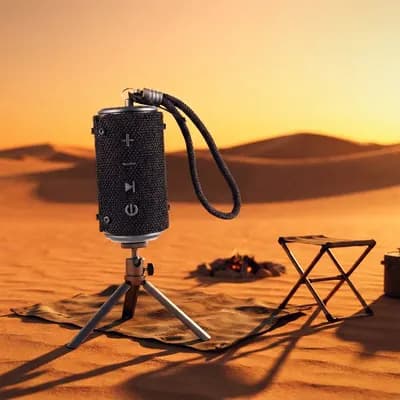
Your photo
Your photo → AI stills
Garden film
AI video



Black studio
AI stills
Product film
AI video
Hover any tile: the stills shuffle, the clips play.
AI studios
stills and video
outreach channels
email, calling, WhatsApp
credit balance
spends across everything
One workspace instead of
five subscriptions
Small teams end up renting a different tool for every step, and re-explaining the product to each one. Here you describe what you sell once.
Usually
Five tools, five bills, five logins
With Sellastra
One workspace, one credit balance
Usually
A photographer or a stock library, every time the product changes
With Sellastra
Creative Studio turns your own product photo into a shot you can post
Usually
An editor for every short video, and a second one for ad cuts
With Sellastra
Self Product Video and UGC Video Maker render them — Creative Ad Maker is coming soon
Usually
A separate scheduler to get the post out on time
With Sellastra
Social Planner composes, captions, queues and schedules it
Usually
Another subscription each for sequences, calls and WhatsApp
With Sellastra
Email automation, AI Calling and WhatsApp campaigns run off the same lists
Make the content, then put it to work
Six AI studios for images and video, a social planner to publish them, and email, calling and WhatsApp to follow up — in one workspace, on one credit balance.
Six studios for the images and video you keep paying someone else for.
Each studio does one job well, and each one starts from what you have already given us — your product photos and the company details saved in My Data.
- Stills: Creative Studio, Digital Studio and Image from Words
- Video: Self Product Video, UGC Video Maker — and Creative Ad Maker, coming soon
- Everything lands in your gallery, ready to download or schedule











Creative Studio
Product photography from a photo of your product.
Digital Studio
Designed ad layouts with your headline, copy and contact details placed for you.
Image from Words
Describe the image you want and generate it.
Self Product Video
Turn your product into a short video.
UGC Video Maker
Creator-style clips with a presenter.
Creative Ad Maker
Coming soonMulti-shot video commercials, planned scene by scene.
This month — planner
AI captionsPlan the month, approve the queue, stop posting by hand.
Compose a post, let AI draft the caption, pull an image from your media library, and lay the whole month out on a calendar before anything goes live.
- Compose, AI Captions, Media library, Planner, Calendar and Queue
- Publish to LinkedIn, Facebook and Instagram from one place
- Connections shows exactly which accounts are linked and which are not
Connecting Facebook and Instagram requires Meta's app review for your own account — LinkedIn connects directly. Connections walks you through where each account stands.
Start freeFollow up on three channels without three subscriptions.
Build an email sequence on a visual canvas, run an outbound AI voice campaign, or send a WhatsApp template batch — all against the same lists.
- Email: a multi-step sequence builder with steps, waits and branches
- Calling: outbound AI voice campaigns you can review call by call
- WhatsApp: template campaigns with per-recipient delivery status
Send intro email
Step 1 · immediately
Wait 3 days
Step 2 · delay
AI call if no reply
Step 3 · branch
WhatsApp follow-up
Step 4 · template
Everything in the workspace
One login, one credit balance. Nothing below is a paid add-on.
Plan & publish
- Compose — Write a post once and send it to your connected channels.
- AI Captions — Draft captions for a post instead of staring at an empty box.
- Planner & Calendar — Lay a month of posts out on a calendar before you commit.
- Queue & Media — See what is waiting to go out, and keep your images in one library.
Reach out
- Email automation — Build a multi-step sequence visually — steps, waits and branches.
- AI Calling — Run outbound voice campaigns and review how each call went.
- WhatsApp campaigns — Send template messages and watch delivery status per recipient.
- Lists — Build and manage the target lists your campaigns run against.
Ground the AI
- My Data — Save your company and what you sell once; the studios write from it.
- Your product photos — Creative Studio and the video studios start from your own images.
Run the account
- Credit wallet — One balance spends across every feature. Top up whenever you need to.
- Plans — Subscribe for a monthly allowance, or stay on pay-as-you-go.
- Support — Raise a ticket from inside the app when something needs a human.
Stuck on something? Support is a ticket away from inside the app.
From your product photo to a campaign that ran
Four steps, no handoffs between tools.
Step 01
Tell us what you sell
Save your company and your offerings once in My Data, and upload a photo of the product. Every studio writes and renders from that, so the output is about your product rather than a stock one.
Step 02
Make the creative
Open the studio that matches the job — a product photo, a designed ad layout, an image from a sentence, a short product video, a creator-style clip, or a multi-shot commercial.
Step 03
Put it in front of people
Schedule it across your connected social accounts, or run it as outreach: a visual email sequence, an outbound AI calling campaign, or a WhatsApp template batch against a list you built.
Step 04
Pay for what you actually used
One credit balance spends across every feature. Top up whenever you need to, or pick a plan for a monthly allowance — and raise a ticket if anything goes sideways.
No credit card required · Cancel anytime
A real company you can look up
We would rather show you the registration and the accounts than a wall of quotes we wrote ourselves.
Registered in India
Sellastra is owned and operated by Geeks2Connect Infotech Private Limited. Pricing is in ₹.
About usHow we handle your data
What we store, who can see it and how to get it deleted — written out rather than summarised into a badge.
Security & privacyTalk to us first
Ask before you sign up, or raise a ticket from inside the app once you are in.
Pricing that pays for itself
Lock in launch rates today. Every plan is billed monthly — cancel anytime, no hidden fees.
Starter
For small teams getting started with outbound
5,000 credits a month
- Spend the balance on any mix of the modules below
- AI Gallery: product photos, ad layouts and short video
- Social Planner: captions, calendar and publishing queue
- Email sequences, AI calling and WhatsApp campaigns
- Plan credits expire 30 days after each renewal
Professional
★ Most PopularFor growing teams scaling outbound
25,000 credits a month
- Everything in Starter, with a larger monthly balance
- AI Gallery: product photos, ad layouts and short video
- Social Planner: captions, calendar and publishing queue
- Email sequences, AI calling and WhatsApp campaigns
- Plan credits expire 30 days after each renewal
Pay as you go
No plan. No expiry. No lock-in.
Enter an amount — minimum ₹100
- Topped-up credits never expire — unlike plan credits
- No monthly commitment — pay only for what you use
- Top up from ₹100, any time
- One balance across every feature
✓ No credit card required · ✓ Cancel anytime · ✓ 50 free credits on signup
Bring one product photo.
Sign up, tell us what you sell, and make your first creative before you decide whether to pay for anything.